

Google Business Profile can now be connected to the Gemini web app, allowing eligible business owners to manage parts of their listing through natural-language requests. Instead of navigating several menus, you can ask Gemini to check your opening hours, draft a response to a review or prepare a Google Post. Here is how it works, what I tested on my own business listing, and the limitations to know before you start.
What can Gemini do with Google Business Profile?
According to Google’s official documentation, Gemini can help update business hours, contact details, website and social links, business attributes and action links such as bookings or appointments. It can also manage menus for eligible food businesses and add photos from publicly accessible URLs.
It can retrieve and summarize customer reviews, draft replies, create or schedule Update, Offer and Event posts, and provide business performance insights such as website clicks, direction requests and search keywords.
The best way to understand whether these tools are useful is to try them with your own listing. The integration is not restricted to a paid Gemini subscription, although account and eligibility requirements still apply.
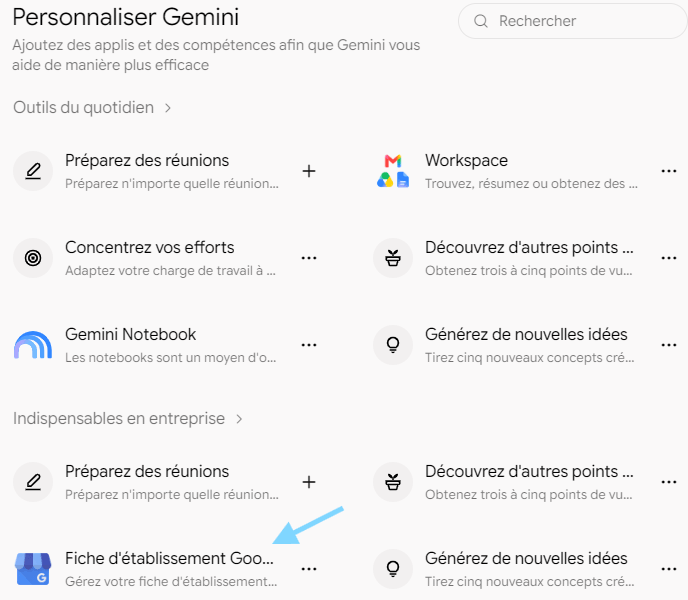
For more background, see my guide to creating Google Business Profile posts manually (in French). Gemini offers a more conversational way to perform some of these tasks.
How to connect Google Business Profile to Gemini
- Open gemini.google.com in your browser.
- Sign in with the personal Google Account associated with your verified Business Profile.
- Ask Gemini something like: “Show me the information on my Google Business Profile.”
- If Gemini does not automatically use the integration, include @Google Business Profile in your prompt.
- Follow the on-screen instructions to connect your listing if prompted.
You can disconnect the integration later in Gemini’s Connected Apps settings. Eligible accounts may also be offered a Business notebook with suggested actions and tailored insights.
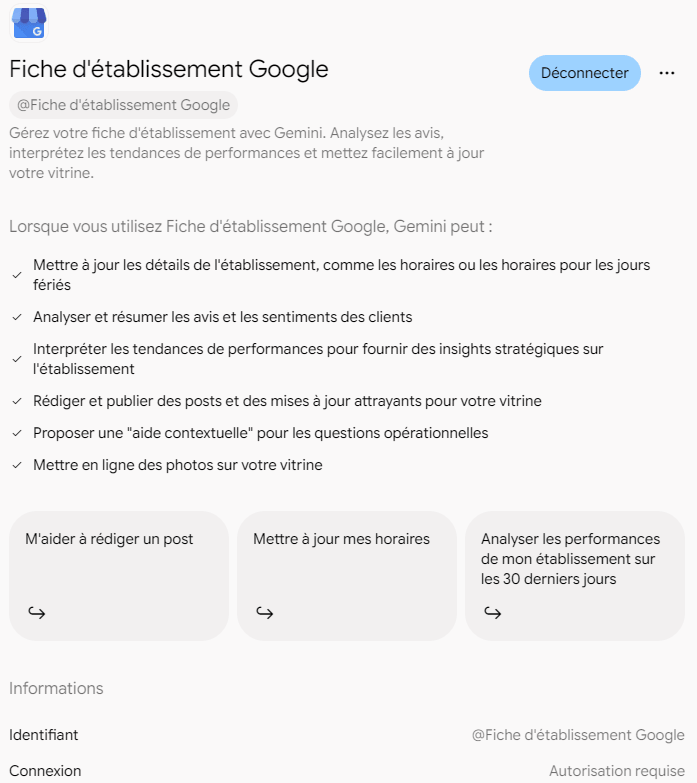
Useful prompts to try in English
- “Show me my current business hours.”
- “What are my latest customer reviews?”
- “Summarize the most common themes in my recent reviews.”
- “Help me draft a professional reply to my latest review.”
- “Create a Google Business Profile post announcing my new service.”
- “Which search keywords brought people to my Business Profile?”
- “Show my Business Profile performance over the last 30 days.”
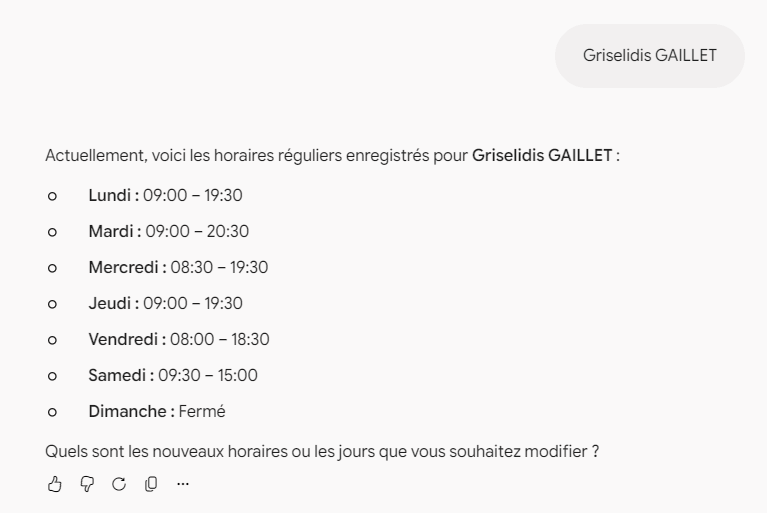
For example, when I asked Gemini about my own business hours, it retrieved the regular opening times and offered to help update them.
Can Gemini schedule a Google Post?
Yes. In my own test, I asked Gemini to prepare a Google Post promoting my WordPress troubleshooting service, scheduled for November 3, 2026, with a link to the relevant service page. Gemini presented the proposed post and requested confirmation before scheduling it.
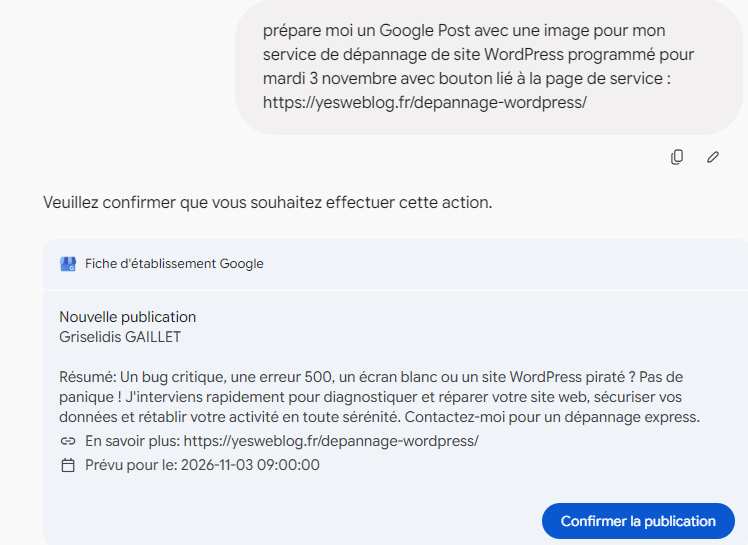
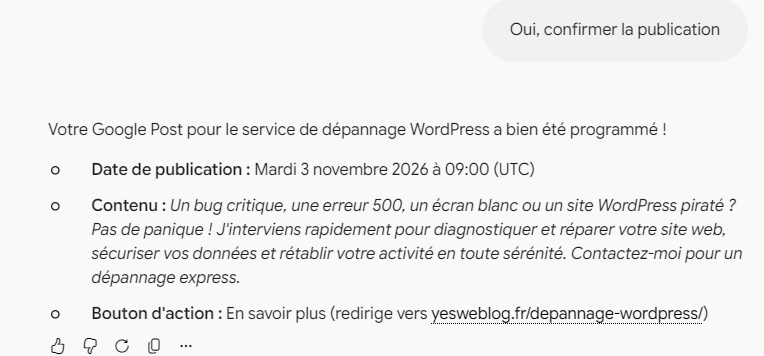
These screenshots document what Gemini displayed during my test. They are in French because my Google account uses the French interface; the integration is also available in English. Always check the proposed text, links, dates and time zone before approving an action.
Important eligibility limits
Google currently requires you to be at least 18, to use a personal Google Account linked to your Business Profile, to enable Keep Activity in Gemini, and to be an owner or manager of only one verified Google Business Profile. Work and school Google Accounts are not supported for this integration.
This last restriction matters especially to local SEO consultants and agencies: if your account has access to multiple verified Business Profiles, Google says the integration is not available to you. Google also states that the feature is available where the Gemini web app is supported; access can still depend on rollout and account eligibility.
Does Gemini replace Google Business Profile management?
Not entirely. Gemini makes routine tasks easier, but you should still verify changes to business details, reviews and posts. AI-generated wording and images may contain mistakes. Using Gemini is not, by itself, a guaranteed way to improve local search rankings.
If you manage customer feedback regularly, the ability to summarize reviews and prepare responses may be particularly helpful. For other developments in this area, read my article on AI messaging in Google Search and Maps.
Final thoughts
For an eligible small business owner, connecting Google Business Profile to Gemini can save time when reviewing performance, checking opening hours or planning updates. The one-verified-profile restriction remains a significant obstacle for agencies managing several clients. In all cases, human review remains essential.
Official source: Google Business Profile Help: Manage your Business Profile with the Gemini web app (checked November 2026).
Vous souhaitez voir Yes We Blog en priorité dans vos résultats Google ?
